

7 Best AI Video Generators That I Have Used

You’ve probably heard the buzz about AI video generators and how they’re transforming the way we create content.
From YouTube creators to marketers, everyone’s talking about how these tools can save time, boost creativity, and make professional-quality videos accessible to anyone.
But with so many options out there, how do you know which one’s right for you?
Well, that is what we’ll see now.
In this no-fluff guide, I’ll break down the best AI video generators of 2025, their standout features, pricing, and who they’re best suited for.
Whether you’re a beginner or a pro, I hope this guide helps in finding the right AI video generator for you.
Ready? Let’s dive in!
What are AI Video Generators?
AI video generators are tools that use artificial intelligence to automate video creation. They can turn text, images, or even simple prompts into polished videos complete with animations, voiceovers, and music.
Think of them as your personal video editor, but faster, smarter, and (usually) more affordable.
Why should you care?
Because they’re perfect for creating YouTube videos without a camera, making social media content that stands out, producing marketing videos for your business and saving innumerable hours that goes into video editing.
7 Best AI Video Generators in 2026
Now, let’s get to the important part, the best AI video generators you can use right now.
- Pictory – Best for turning text into engaging videos.
- Synthesia – Best for AI-generated human-like avatars.
- InVideo – Best for marketing and social media videos.
- Runway – Best for AI-powered video editing and VFX.
- Fliki – Best for AI voiceovers and text-to-video creation.
- VEED – Best for quick and easy online video editing.
- Revid – Best for short-form viral video creation.
Let us see about each one of them in detail now.
1
PictoryBest for turning text into engaging videos.
If you’ve ever wished you could turn your blog posts, articles, or even long scripts into engaging videos without spending hours editing, Pictory might just be your new best friend.
This AI-powered tool is making waves in the content creation world, and for good reason. It’s designed to help you create professional-quality videos in minutes.
Key Features of Pictory
1. Text-to-Video Conversion
Pictory’s bread and butter is its ability to turn text into videos. Whether you’re working with a 2,000-word blog post or a short script, the AI can summarize the content and create a video that’s both engaging and informative.
2. Automatic Summarization
Pictory can automatically summarize your content, pulling out the most important points to create a concise video. This is perfect for creating teasers or shorter social media clips.
3. Stock Media Library
Pictory comes with a vast library of stock footage, images, and music. The AI automatically matches your text with relevant visuals, but you can also manually swap them out if you want more control.
4. Voiceovers
Pictory offers AI-generated voiceovers in multiple accents and languages. You can choose from a variety of voices to match the tone of your video. While the voices are robotic (as with most AI tools), they’re clear and professional-sounding.
5. Captions
Captions are a must for social media videos, and Pictory makes it easy to add them. The tool automatically generates captions and syncs them with the video. You can customize the font, color, and placement to match your brand.
6. Editing Tools
While Pictory is designed to be simple, it still offers basic editing tools. You can trim clips, adjust the pacing, and add your logo or branding elements.
7. Blog-to-Video Feature
Pictory can take an existing blog post, extract the key points, and turn it into a video. It’s a fantastic way to repurpose content and reach a wider audience.
What I Like About Pictory
- Ease of Use: Pictory is incredibly user-friendly. Even if you’ve never edited a video before, you’ll be able to create something professional-looking in minutes.
- Time-Saving: Turning a blog post into a video manually can take hours. Pictory does it in minutes.
- Affordable: Compared to hiring a video editor or buying expensive software, Pictory is a steal.
- Great for Repurposing Content: If you’ve got a library of old blog posts, Pictory can breathe new life into them.
- Free Trial: You can test Pictory with a free plan (though it comes with limitations).
What I Don’t Like About Pictory
- Limited Customization: While Pictory is great for quick videos, it doesn’t offer the level of customization you’d get with advanced tools like Adobe Premiere.
- Robotic Voiceovers: The AI voices are clear but lack the emotional depth of a human voiceover artist.
- Watermark on Free Plan: The free plan adds a Pictory watermark to your videos, which can be distracting.
Pictory Pricing
Pictory offers two pricing plans for individuals:
- Starter Plan ($25/month): 2 million royalty-free videos from Storyblocks, basic AI tools, and 200 minutes of video per month.
- Professional Plan ($49/month): 600 video minutes per month, advanced AI tools, and 12 million videos from Getty Images and Storyblocks.
Apart from this, they offer Team plan and Enterprise plan for businesses.
Team plan starts at $119 per month for 3+ users and Enterprise plan starts at $975 per month for 5+ users.
Learn more about Pictory pricing here: https://pictory.ai/pricing
Final Thoughts on Pictory
Pictory is a powerful tool for anyone looking to create videos quickly and easily. While it’s not perfect, customization is limited, and the AI voices could use some work, it’s an excellent option for beginners. If you’re looking to repurpose content, save time, or dip your toes into AI video creation, Pictory is definitely worth a try.
2
SynthesiaBest for AI-generated human-like avatars.
Synthesia is the go-to tool if you want to create videos with AI avatars. Yes, you heard that right, AI avatars!
You can choose from over 140 AI presenters, type in your script, and let Synthesia do the rest.
It’s perfect for explainer videos, training materials, or even personalized marketing campaigns.
Key Features of Synthesia
1. AI Avatars
Synthesia’s AI avatars are its standout feature. These digital presenters can deliver your script in a natural, human-like way. You can choose from a diverse range of avatars, including different genders, ethnicities, and styles. Some avatars even come with specific “personalities,” like a friendly teacher or a professional businessperson.
2. Multilingual Support
Synthesia supports over 120 languages and accents, making it perfect for global businesses. Need a video in Spanish, Mandarin, or French? No problem. Just type your script, and the AI will handle the rest.
3. Text-to-Speech
The platform uses advanced text-to-speech technology to generate voiceovers. While the voices are AI-generated, they’re surprisingly clear and natural-sounding. You can also adjust the tone, speed, and emphasis to match your needs.
4. Custom Avatars
If the default avatars don’t cut it, you can create a custom avatar that looks and sounds like you (or anyone else). This is perfect for brands that want a consistent spokesperson across all their videos.
5. Screen Recording
Synthesia allows you to record your screen and overlay it with an AI avatar. This is great for creating tutorials, demos, or explainer videos.
6. Templates
Synthesia offers a variety of templates for different use cases, such as training videos, product demos, and social media ads. These templates make it easy to create professional-looking videos in minutes.
7. Collaboration Tools
If you’re working with a team, Synthesia lets you collaborate in real-time. You can share projects, leave comments, and make edits together.
What I Like About Synthesia
- Ease of Use: Synthesia is quite user-friendly, especially for those who want to create professional-looking videos without needing advanced editing skills.
- Multilingual Capabilities: The ability to create videos in over 120 languages is a game-changer for global businesses.
- Custom Avatars: The option to create a custom avatar adds a personal touch to your videos.
- Time-Saving: Synthesia eliminates the need for cameras, actors, and editing software, saving you hours (or even days) of work.
- Professional Results: The videos produced by Synthesia are polished and high-quality, making them suitable for even the most formal settings.
What I Don’t Like About Synthesia
- Price: Synthesia is more expensive than some other AI video tools, which might be a barrier for small businesses or individual creators.
- Limited Emotional Range: While the AI avatars are impressive, they can’t fully replicate the emotional depth of a human presenter.
- Learning Curve for Advanced Features: While the basics are easy to use, some of the more advanced features (like custom avatars) can take time to master.
Synthesia Pricing
Synthesia offers three pricing plans:
- Starter Plan ($30/month): Includes 10 minutes of video generation per month, access to 125+ AI avatars, and 3 personal avatars.
- Creator Plan ($67/month): Includes 30 minutes of video generation per month, access to 180+ AI avatars, and 5 personal avatars.
- Enterprise Plan (Custom Pricing): Tailored for large businesses, with features like API access, dedicated account management, and unlimited video credits.
Learn more about Synthesia pricing here: https://www.synthesia.io/pricing
Final Thoughts on Synthesia
Synthesia is a powerful tool that’s redefining video creation. Its AI avatars, multilingual support, and professional results make it a standout choice for businesses, educators, and content creators. While it’s not the cheapest option on the market, the time and resources it saves can make it well worth the investment.
3
InVideoBest for marketing and social media videos.
InVideo is a powerhouse for creating short-form videos for platforms like TikTok, Instagram, and YouTube Shorts. With thousands of templates, stock footage, and an intuitive editor, it’s perfect for beginners and pros alike.
Key Features of InVideo
1. Extensive Template Library
InVideo offers over 5,000 templates for every imaginable use case. Whether you’re creating a Instagram Reel, a YouTube video, or a business presentation, there’s a template to get you started. The templates are fully customizable, so you can tweak them to match your brand’s style.
2. AI-Powered Text-to-Video
One of InVideo’s most impressive features is its text-to-video capability. Simply paste your script, and the AI will automatically generate a video complete with visuals, voiceovers, and captions. This is perfect for turning blog posts, articles, or even tweets into engaging video content.
3. Stock Media Integration
InVideo gives you access to over 8 million stock videos, images, and music tracks. The library is constantly updated, so you’ll always find fresh, relevant content for your videos. Whether you need a serene beach scene or upbeat background music, InVideo has you covered.
4. User-Friendly Editing Tools
The drag-and-drop interface makes it easy to customize your videos. You can add text, images, animations, and transitions with just a few clicks. It’s perfect for beginners but still offers enough flexibility for more advanced users.
5. Brand Kit
InVideo’s Brand Kit feature allows you to save your brand colors, fonts, and logos, so you can easily apply them to all your videos. This is perfect for maintaining brand consistency across your content.
What I Like About InVideo
- Free Plan: You can test InVideo with a free plan (though it comes with limitations).
- AI-Powered Features: Their AI tools are pretty impressive. It can even help with things like auto-resizing videos for different platforms, which saves so much time.
- Affordable: Considering all the features you get, it feels like good value for money.
What I Don’t Like About InVideo
- Rendering Speed: Rendering time can sometimes be slower than expected, especially for longer or more complex videos.
- Watermark: The free plan adds an InVideo watermark to the videos.
InVideo Pricing
InVideo offers three pricing plans:
- Plus ($35/month): Upto 50 minutes of AI video generation, 2 voice clones, 60s generative credits and 100 GB storage.
- Max Plan ($60/month): Upto 200 minutes of AI video generation, 5 voice clones, 60s generative credits and 400 GB storage.
- Generative Plan ($120/month): Upto 200 minutes of AI video generation, 5 voice clones, 15m generative credits and 400 GB storage.
Learn about InVideo annual pricing plans here: https://invideo.io/pricing/
Final Thoughts on InVideo
InVideo AI stands out as a robust tool for anyone aiming to create professional-grade videos without a steep learning curve. Its blend of affordability, user-friendliness, and a rich feature set makes it a valuable asset, particularly for focusing on social media platforms.
4
RunwayBest for AI-powered video editing and VFX.
Runway is like the Swiss Army knife of AI video tools. It’s packed with advanced features like green screen removal, object removal, and even AI-generated imagery. If you’re a filmmaker or creative professional, this one’s for you.
Key Features of Runway
1. Green Screen Removal
Runway’s green screen removal tool is one of its standout features. Simply upload your footage, and the AI will automatically remove the background, leaving you with a clean, transparent layer. This is perfect for adding custom backgrounds or compositing scenes.
2. Object Removal
Ever wished you could magically erase an unwanted object from your video? Runway’s object removal tool makes it possible. Just highlight the object, and the AI will seamlessly remove it, filling in the background as if it was never there.
3. AI-Generated Imagery
Runway’s AI image generation tool lets you create entirely new visuals using text prompts. Want a futuristic cityscape or a surreal dream sequence? Just describe it, and the AI will generate it for you.
4. Style Transfer
With Runway’s style transfer tool, you can apply the aesthetic of one image or video to another. Imagine turning your footage into a Van Gogh painting or a retro 80s music video, it’s all possible with a few clicks.
5. Motion Tracking
Runway’s motion tracking tool allows you to track objects or people in your footage and apply effects or text that move with them. This is perfect for adding dynamic elements to your videos.
What I Like About Runway
- Advanced AI Tools: Runway’s AI-powered features are truly groundbreaking. From green screen removal to AI-generated imagery, it’s packed with tools that would be difficult or impossible to replicate with traditional software.
- Ease of Use: Despite its advanced capabilities, Runway is surprisingly user-friendly. The interface is intuitive, and the tools are easy to learn.
- Creative Freedom: Runway encourages experimentation. Whether you’re a filmmaker, animator, or digital artist, it gives you the tools to bring your vision to life.
- Cloud-Based: The fact that Runway is cloud-based means you can access it from anywhere, without needing expensive hardware.
What I Don’t Like About Runway
- Learning Curve: While Runway is user-friendly, some of its more advanced features can take time to master.
- Pricing: Runway’s pricing can be steep for individual creators, especially if you need access to premium features.
Runway Pricing
Runway offers three different pricing plans:
- Standard Plan ($15/month): 625 credits, limited generations with Gen-1, Gen-2, Gen-3 Alpha and Alpha Turbo models.
- Pro Plan ($35/month): 2250 credits, custom voice clone plus Everything in the Standard Plan.
- Unlimited ($95/month): Unlimited generations with all the Runway AI models and 2250 credits with no rate restrictions.
Learn about Runway annual pricing plans here: https://runwayml.com/pricing
Final Thoughts on Runway
Runway is a powerful tool for anyone looking to push the boundaries of video editing. Personally I felt this one had no technical limitations. I was able to create whatever I wanted with ease.
Its AI-powered features make complex tasks simple and accessible. While it’s not the cheapest option on the market, the creative freedom it offers makes it well worth the investment for filmmakers, content creators, and digital artists.
5
FlikiBest for AI voiceovers and text-to-video creation.
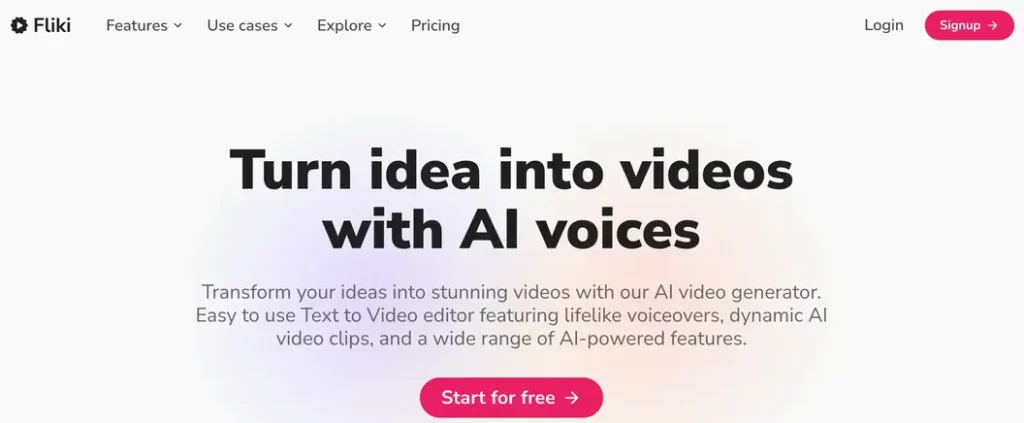
Fliki is a powerful AI video generator that helps you create high-quality videos from text in just minutes. Whether you’re making YouTube videos, social media clips, or marketing content, Fliki’s AI-driven text-to-video and text-to-speech features makes video creation easier.
Key Features of Fliki
- AI-Powered Text-to-Video: Convert blogs, scripts, or even tweets into engaging videos.
- Realistic AI Voiceovers: Offers over 900 voices in 75+ languages, making narration sound natural.
- Stock Media Library: Access millions of stock videos, images, and music tracks.
- Custom Branding: Add your own logo, fonts, and color themes for a professional touch.
- Subtitle Generator: Auto-generate and sync subtitles to boost engagement and accessibility.
What I Like About Fliki
- Beginner-Friendly: Fliki’s intuitive interface makes it super easy to use.
- High-Quality AI Voices: The voiceovers sound impressively human-like, unlike the robotic voices some tools offer.
- Multilingual Support: If you’re targeting a global audience, Fliki’s language options are a big plus.
- Fast Video Generation: Creating videos takes just a few minutes, which is perfect for busy creators.
What I Don’t Like About Fliki
- Limited Customization: While it’s great for quick videos, advanced users might find the editing options restrictive.
- Pricing Can Get Expensive: The free plan is quite limited, and you’ll need a paid plan for full access to high-quality voices and longer videos.
Fliki Pricing
Fliki AI offers two pricing plans:
- Standard Plan ($14/month): 30 minutes of video per month, no watermark, and access to premium media.
- Premium Plan ($44/month): 120 minutes of video per month, custom branding, and priority support.
Final Thoughts on Fliki
Fliki AI is an excellent tool for content creators who want to turn text into professional-looking videos without spending hours editing. Its AI voices and vast media library make it a solid choice for marketers, bloggers, and educators. However, if you need deep customization or work with long-form videos, you might want to explore other AI video generators.
Would I recommend Fliki? Yes, especially if you want quick, engaging videos with minimal effort.
6
VeedBest for quick and easy online video editing.
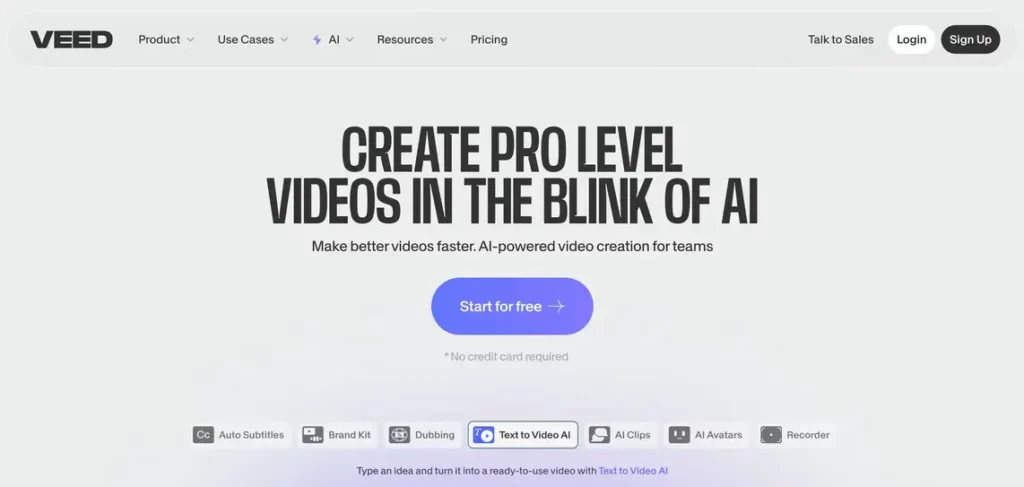
VEED is a browser-based video editor that packs a solid set of AI-powered tools, making video creation easier for beginners and professionals alike.
Whether you’re creating marketing videos, social media content, or educational clips, VEED.IO offers a seamless way to edit and enhance your videos without needing advanced skills.
Key Features of Veed
- AI Avatars & Voiceovers: Create realistic AI avatars and lifelike voiceovers in multiple languages and accents.
- Stock Library: Get access to 2M+ royalty-free videos, images, and audio tracks to enhance your content.
- Auto Subtitles & Translations: Generate accurate subtitles and translate them automatically for global reach.
- Collaboration Tools: Work with your team in shared workspaces with real-time collaboration.
What I Like About Veed
- Super easy to use: The interface is clean, and you don’t need prior editing experience.
- AI tools save time: From text-to-video to auto subtitles, everything feels smooth and efficient.
- No downloads required: Since it runs entirely online, you can use it from any device.
- Great for various content types: Works well for social media, marketing, education, and business videos.
What I Don’t Like About Veed
- Struggles with large files: Uploading and processing big video files can be slow at times.
- Not for pro-level editing: If you need complex editing features, you might feel a bit limited.
Veed Pricing
Veed offers two pricing plans for individuals:
- Lite ($14/month): No watermarks, 1080p exports, and AI subtitles (limited).
- Pro Plan ($44/month): Unlocks all AI tools, 4K ultra HD exports, custom branding, and video translations.
Final Thoughts on Veed
VEED.IO is a solid AI-powered video editor that makes video creation accessible to everyone. It’s perfect for beginners and marketers who want quick, high-quality videos without spending hours editing. While it may not be the best option for advanced editors working with large files, its AI automation, stock assets, and user-friendly interface make it a great choice for most content creators.
7
Revid AIBest for short-form viral video creation.

Revid AI is an AI-powered platform designed to streamline the creation of engaging short-form videos for platforms like TikTok, Instagram Reels, and YouTube Shorts. By automating tasks such as scriptwriting, voiceovers, and video editing, Revid AI can help you produce captivating content without the need for extensive editing skills.
Key Features of Revid AI
- AI Script Generator: Automatically generates compelling video scripts, helping you craft stories that resonate with your audience.
- Voice Synthesis: Offers over 50 unique male and female voice options, allowing you to add lifelike voiceovers to your videos.
- Video Templates: Provides a variety of customizable templates tailored for different platforms, ensuring your content meets specific format requirements.
- Smart Editor: Features an intuitive interface that simplifies the editing process, making it accessible even for beginners.
- Multi-Platform Export: Enables direct publishing to major social media platforms, streamlining your content distribution.
What I Like About Revid AI
- User-Friendly Interface: The platform is designed for ease of use, making video creation accessible to those without prior experience.
- Time-Saving: AI-driven features like script generation and voice synthesis significantly reduce the time spent on content creation.
- Diverse Voice Options: The availability of multiple voice choices adds a personalized touch to videos, enhancing viewer engagement.
- Versatility in Content Types: Supports the transformation of various content forms, including blog posts and social media updates, into videos.
What I Don’t Like About Revid AI
- Limited Advanced Editing Features: While great for quick edits, professionals seeking in-depth customization might find the platform lacking.
- Customization Constraints: At few points, you may feel like you need more control over specific elements of the video.
Revid AI Pricing
Revid AI offers three subscription plans to cater to different user needs:
- Hobby Plan ($39/month): Includes full access to the video editor and inspiration from over 3 million viral TikToks.
- Growth Plan ($39/month): Builds upon the Hobby plan by adding AI video creation, voice generation, Auto-Mode, script and hook generation, the ability to record your own voice and video, AI influencer creation, 3 Auto-Mode workers, and 2,000 AI credits per month.
- Ultra Plan ($199/month): Encompasses all features in the Growth plan, with enhancements like 10 Auto-Mode workers and 12,000 AI credits per month.
Final Thoughts on Revid AI
Revid AI stands out as a valuable tool that can produce engaging short-form videos efficiently. Its AI-driven features and user-friendly design make it an excellent choice for those looking to enhance their social media presence without investing significant time or resources into video production. However, if you need advanced editing capabilities or operating on a limited budget, you might need to consider these factors when evaluating the platform’s suitability for your needs.
And there are many more tools for AI video creation like Sora by OpenAI (Pricey), Veo by Google, Lumen5, Kling AI, Hailuo, and more. There are lot more coming.
You might be surprised that I left out Sora. Honestly, i feel it is over priced. If you learn prompting, you can create such Sora kind of amazing videos with even budget friendly ones like InVideo.
I have used many of these AI video tools for creating youtube videos, so I have picked it based on my personal experience, cost involved and user-friendliness.
How to Choose the Right AI Video Generator?
With so many options, how do you pick the best one? Here’s a quick checklist:
- Purpose: What kind of videos do you need? Social media, presentations, or something else?
- Ease of Use: Are you a beginner or a pro? Some tools are more user-friendly than others.
- Budget: How much are you willing to spend? Free plans are great, but they often come with limitations.
- Features: Do you need AI avatars, multilingual support, or advanced editing tools?
Think about all these things before choosing a AI video generator.
If you decide to go with a tool, try it for a month and then opt for annual plan.
Personally, I felt all the AI tools in general are still in early stage. No AI tool gives you a perfect ready to use output. AI video generators are no different. While you can use the output as it is, it would be better if you spend some time in making corrections in your video.
Final Thoughts
AI video generators are no longer a luxury, they’re a necessity if you want to stay competitive in today’s fast-paced digital world. Whether you’re a content creator, marketer, or business owner, there’s a tool out there that’s perfect for your needs.
My top pick? It depends on what you’re looking for:
- Best Overall: Pictory (great for beginners).
- Best for Avatars: Synthesia
- Best for Social Media: InVideo
So, what are you waiting for? Pick a tool, start creating, and let your videos go viral!
